Uploading to Seed Bible
Use the Codex Seed Bible Upload extension to upload your translation to the Seed Bible project and share it with a link
The Codex Seed Bible Upload extension lets you upload your translation to the Seed Bible project directly from Codex. After uploading, you get a link you can copy and share with others.
The extension is not installed by default — you'll need to install it from the Extensions panel first.
Step 1: Install the Extension
- Click the Extensions icon
 in the sidebar (or press
 Ctrl + Shift + X/Cmd + Shift + X) - Search for
aolab.codex-seed-bible-upload - Look for Codex Seed Bible Upload by AO Lab and click Install

Step 2: Log In
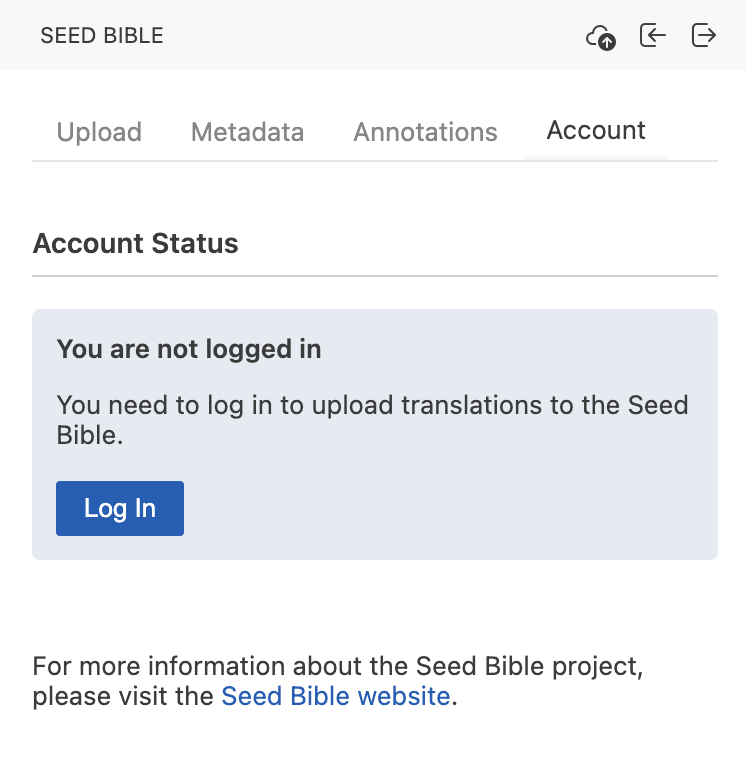
Once installed, open the Seed Bible panel and go to the Account tab. Click Log In and enter your email address — you'll receive a code by email to complete the login.
Your email is not stored by Seed Bible. It's only used to send you the one-time code, as a way to verify the request is coming from a person rather than a bot.
Step 3: Fill Out the Metadata
Switch to the Metadata tab and fill out the information about your translation.
Metadata is saved to the project workspace on your computer, but it does not sync between users. If a teammate uploads from their own machine, they will need to fill out the metadata themselves.
Step 4: Upload
Go to the Upload tab and click Upload. When the upload finishes, you'll get a link that you can copy and share with anyone you want to show the translation to.
Next Steps
- Export your project to other file formats
- Share your project with your team